Dig Dig Die Keybinds
Commonly expected Steam PC controls—confirm them in your build before the first loud dig.
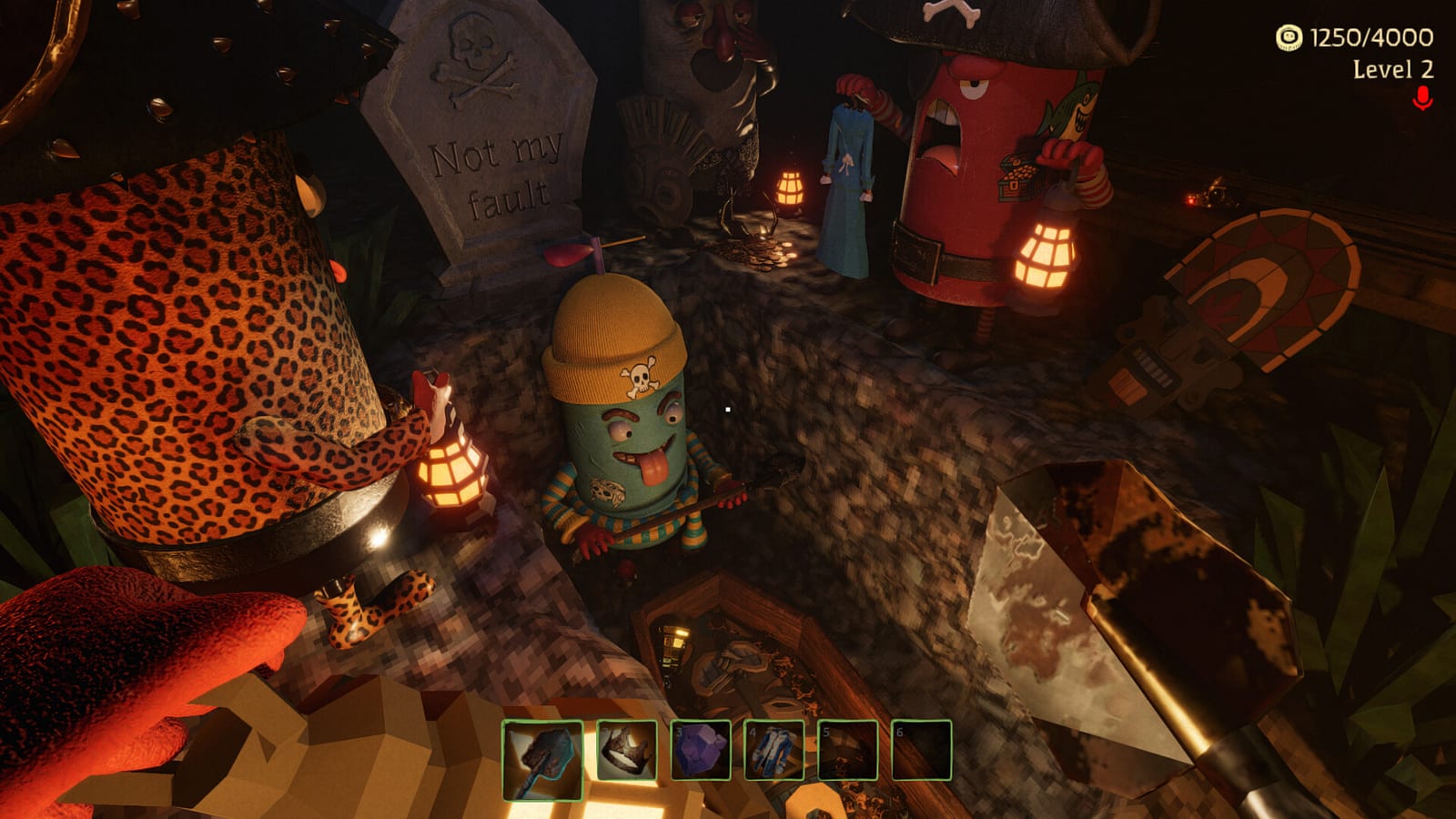
Keybinds are how Dig Dig Die turns intent into action before a sound-hunting monster turns action into a chase. This featured page is a Steam PC setup checklist for Alice Games’ upcoming co-op horror (1–6 online, cursed flying ship hub, haunted graveyard raids). It does not invent a fake official key table. Where examples appear, read them as default Steam PC bindings commonly expected—then open settings and verify on your machine.
After binds feel good, configure Voice Stealth and practice the loop in How to Play Dig Dig Die.
Setup rules before you touch a single key
- Bind for graveyard stress, not for desktop comfort alone.
- Prioritize dig/interact, weapon use, inventory, and voice over novelty binds.
- Avoid conflicts where panic keys open menus.
- Re-check binds after Steam updates or big patches.
- Make every squadmate do the same checklist—one broken interact key is a group problem.
Movement and camera cluster
Commonly expected on Steam PC:
- Move — WASD-style directional movement is the usual baseline expectation.
- Look — mouse look for watch angles while teammates dig.
- Jump — relevant for traversal and any super-jump boost moments later.
- Sprint / crouch equivalents — if your build includes them, confirm whether they change noise or stamina behavior in practice rather than assuming.
What “good” feels like: you can strafe around a coffin while keeping eyes on approaches without drifting into accidental menu keys. Watchers in Co-op Strategies live or die on this comfort.
Interact and dig cluster
This is your primary fantasy bind. Coffins, crypts, ship vendors, and many world interactions funnel through interact/dig style actions.
Checklist:
- Dig/interact is on a key you can repeat without hand strain.
- You can stop digging instantly when the quiet captain calls abort (Noise Survival).
- Interact does not share a fat-finger neighbor with voice spam or menu open.
If dig requires an awkward chord, remap it. Delayed digs create longer standing time on noisy objectives.
Tools and improvised weapons cluster
Expect separate or contextual binds for using shovels, crowbars, and improvised weapons. You may also have a swap/previous-next style control depending on build.
Checklist:
- You can raise a crowbar or improvised weapon without opening the wrong UI.
- You can return to dig intent quickly after a defensive swing.
- You are not relying on muscle memory from a different extraction game that does not match this build.
Combat should open escape lanes (Beat Monsters), not become an accidental bind puzzle mid-chase.
Limited carry slots and inventory cluster
Community chatter often describes Dig Dig Die as a very limited carry experience (sometimes discussed in two-slot style terms). This wiki sticks to limited carry slots until your UI confirms exact counts.
Whatever the final layout, you need:
- fast inspection of what you are holding;
- confident pickup / drop / swap behavior;
- minimal time standing still at a fresh dig while rearranging greed.
Slow inventory binds sabotage Loot and Extract. If evaluating loot takes five noisy seconds, remap for speed.
Voice and communication cluster
Because proximity voice chat can alert hunters, voice binds are survival binds.
Checklist:
- Prefer a push-to-talk style key if the settings allow it.
- Ensure mute/unmute is reachable in under a second.
- Keep voice keys far from dig spam keys if you fat-finger under jump scares.
- Test that your bind does not stick open.
Deep mic hygiene—levels, headphones, echo—lives on Voice Stealth. This page only ensures the fingers can execute those habits.
Ship UI cluster: vendors and casino
On the cursed flying ship you will use vending machines and may play blackjack, roulette, or thimbles. Menu navigation binds should be clear enough that casino chaos is intentional, not “I clicked the wrong table while trying to vendor a shovel.”
Tip: if a bind is perfect for menus but miserable for digs, favor the dig. Monsters are less forgiving than shop screens.
Suggested bind priorities (rebind order)
When something feels wrong, fix in this order:
- Dig / interact
- Voice PTT / mute
- Weapon / tool use
- Inventory / carry management
- Movement quality-of-life
- Ship menu convenience
That order matches what kills runs first.
Squad settings night script
Run this before a serious 1–6 player session:
- Everyone opens settings and walks this checklist.
- Each player performs a dock test: move, dig interact, swap carry, one-word voice pop, mute.
- Quiet captain confirms abort call vocabulary from Co-op Strategies.
- Only then drop into a haunted graveyard.
Troubleshooting “it feels bad”
- Missed digs — interact key reach or conflict; remap before blaming the shovel.
- Inventory fumbles — carry binds too slow; simplify.
- Accidental screams — voice key sticky or open mic; fix via Voice Stealth.
- Late extracts — players looking at keyboards instead of exits; drill binds on the ship.
- Menu pop during chase — panic key conflict; separate menu from combat cluster.
Honesty note on defaults
This page intentionally avoids publishing invented exact defaults such as “press X to dig” unless verified in your installed build. Dig Dig Die is upcoming for August 6, 2026 on Steam PC (AppID 4074010). Alice Games may polish control schemes. Your settings menu is the authority; this checklist is the method.
After keybinds, go play with intent
Configured hands make quieter crews. Return to the Controls Hub for the overview, then put the binds to work in Noise Survival and Loot and Extract. The best keybind set is the one you can execute while scared—because Dig Dig Die will test exactly that.
Frequently Asked Questions
Quick answers for Dig Dig Die crews on Steam.
What are the default Dig Dig Die keybinds?
Defaults can vary by build. Use this page as a cluster checklist, then verify every bind in Steam PC settings instead of trusting an invented chart.
Which binds should I customize first?
Dig/interact, voice push-to-talk or mute, tool/weapon use, then inventory/carry management. Those decide raid survival more than novelty keys.
Why remapped controls matter in a horror co-op game?
Hesitation creates noise and late extracts. Sound-hunting monsters punish slow hands as much as loud mics—see Noise Survival.
Should friends use the same keybinds?
Not necessarily the same keys, but the same checklist. Everyone needs confident dig, mute, and carry actions before a six-player lobby drops.
Where do I configure microphone behavior after keybinds?
Use Voice Stealth for levels, headphones, echo prevention, and callout discipline.